
Step 1
Create a new estimate with a contact or customer name
Step 2
Add Job Information, Scope & photos
Step 3
Add Line Items, adjust profit margins
Step 4
Send Estimate
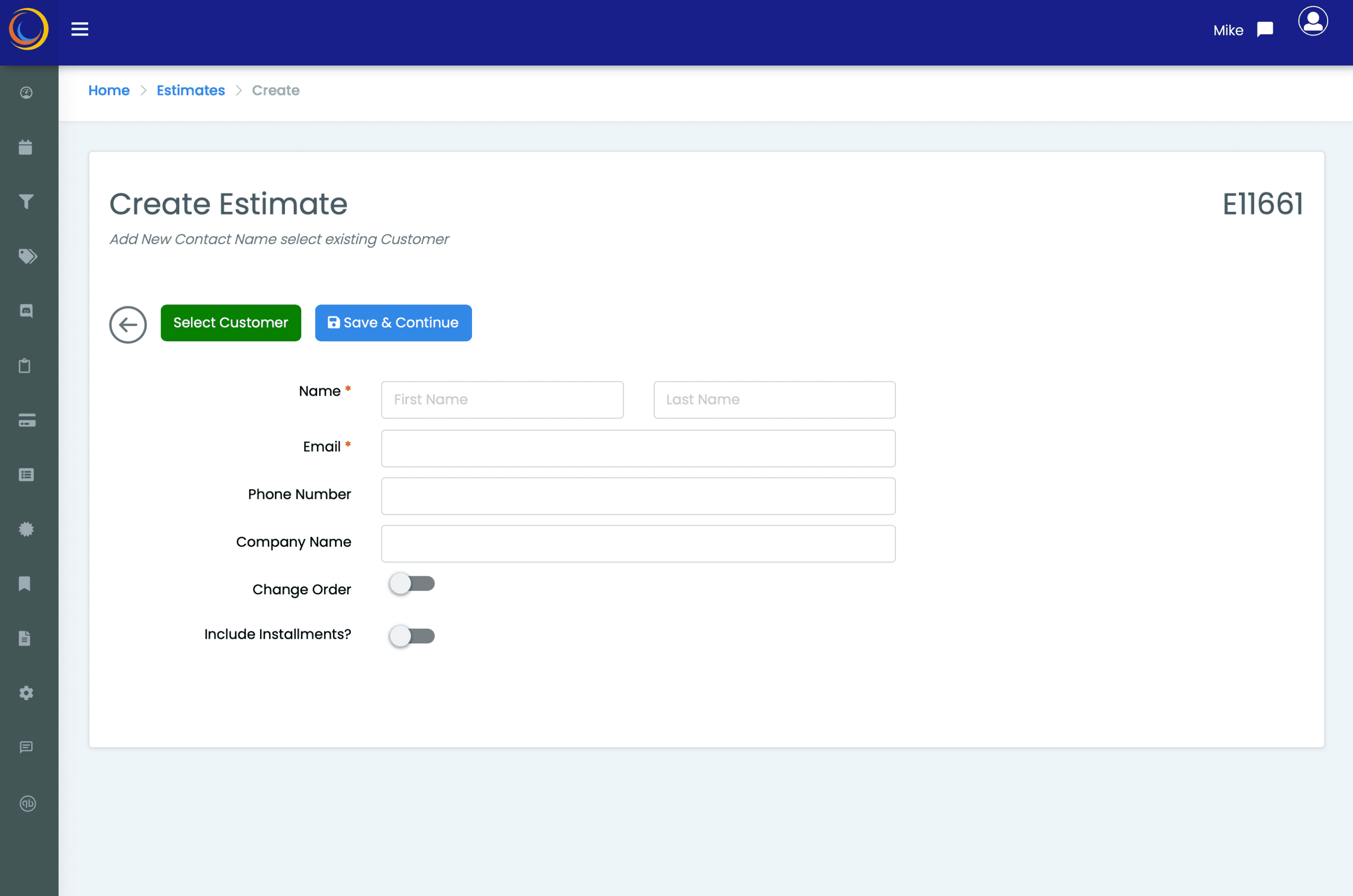
CREATE ESTIMATE
- Start with a contact name and email address, or choose an existing customer
- If needed, create Job Change Orders from here
- Want Installment payments for this project?
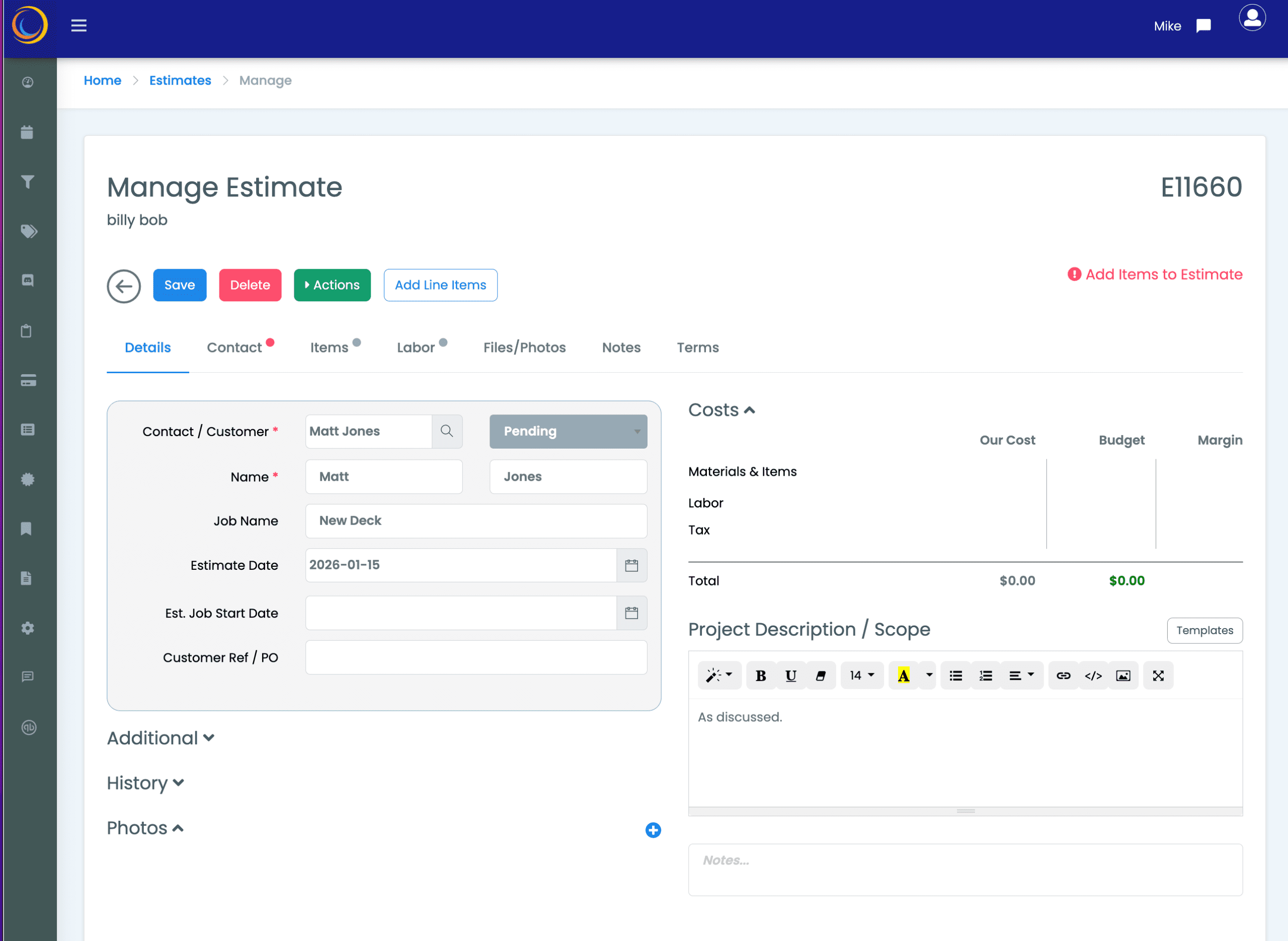
ADD JOB INFORMATION
- Give the estimate a job name
- Add a project description
- Attach documents and photos
- Now add line items
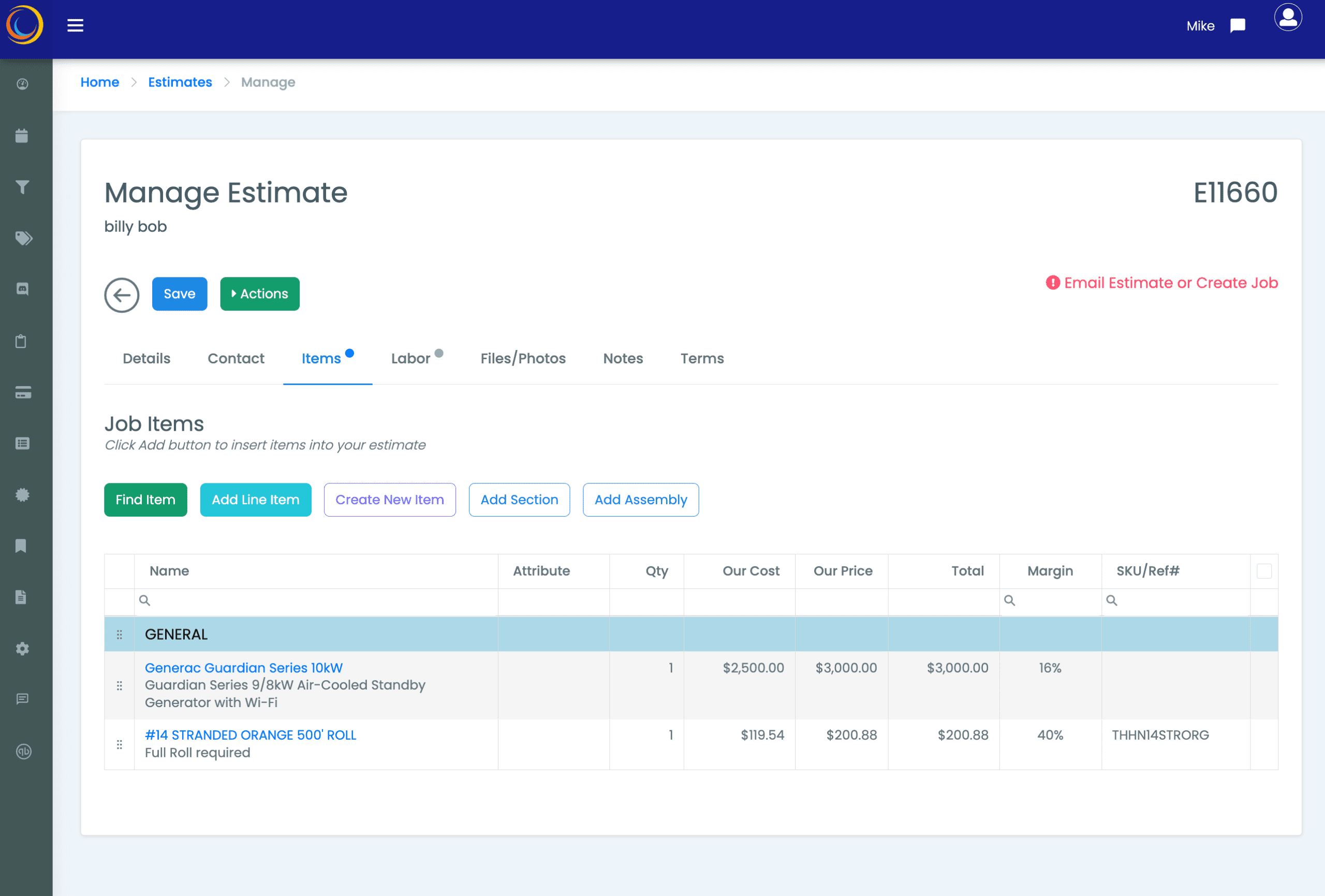
ADD YOUR ITEMS
- From the Items tab start adding items
- Create new items on the fly or use the supplied list of hundreds Items
- Check and adjust your profitability margins
- Add prebuilt Item Assemblies if relevant

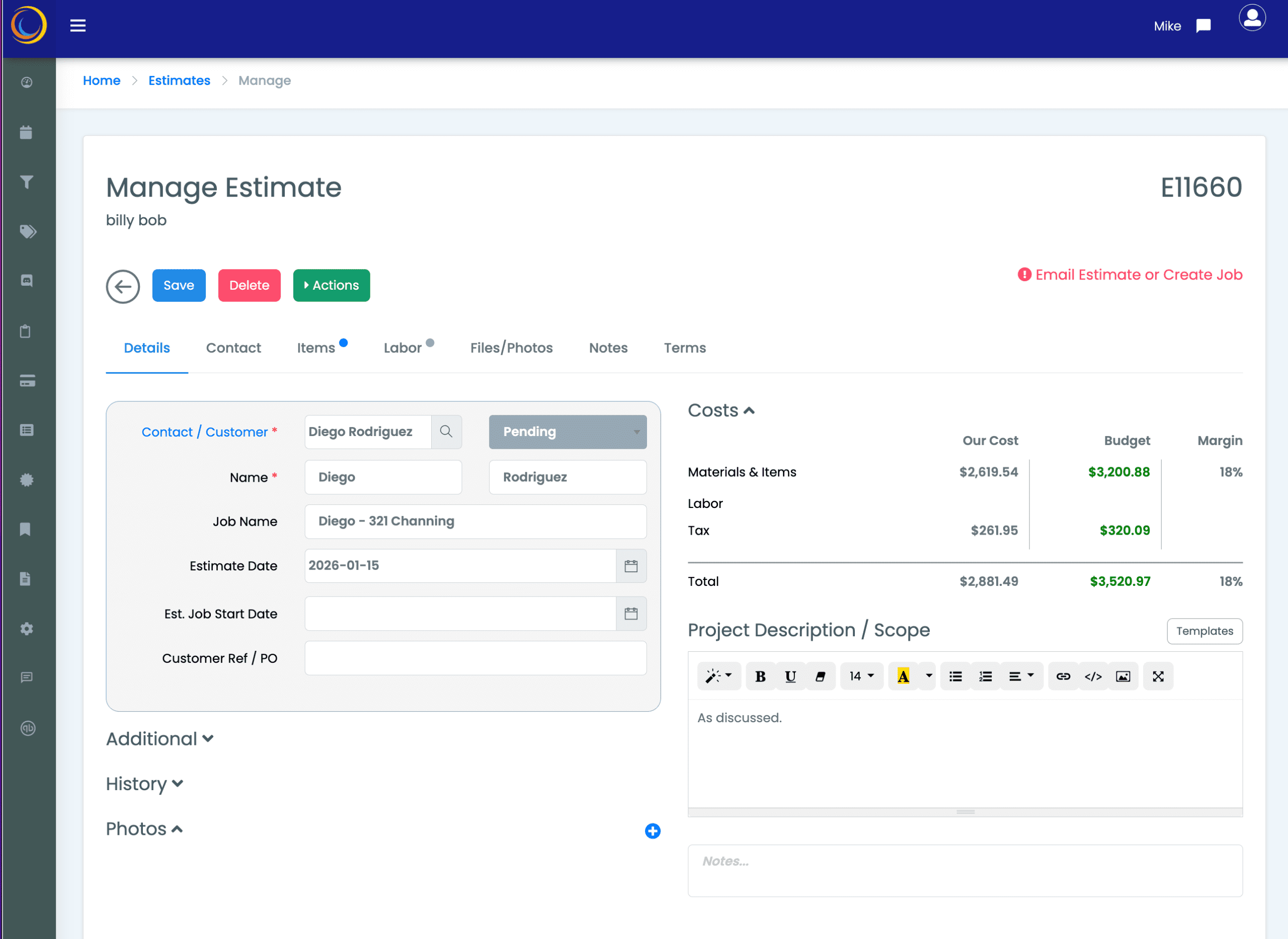
FINAL REVIEW
- Double check items, costs, selling prices
- Check Installment values look correct
- Adjust items for better margin
- Set Terms if relevant
- The estimate is ready to be sent…
SEND ESTIMATE
- Send customer a customizable email with the estimate as PDF
- The customer accepts and signs acceptance from the email
- IP address and signature is stored with estimate
- Receive a notification when estimate is approved
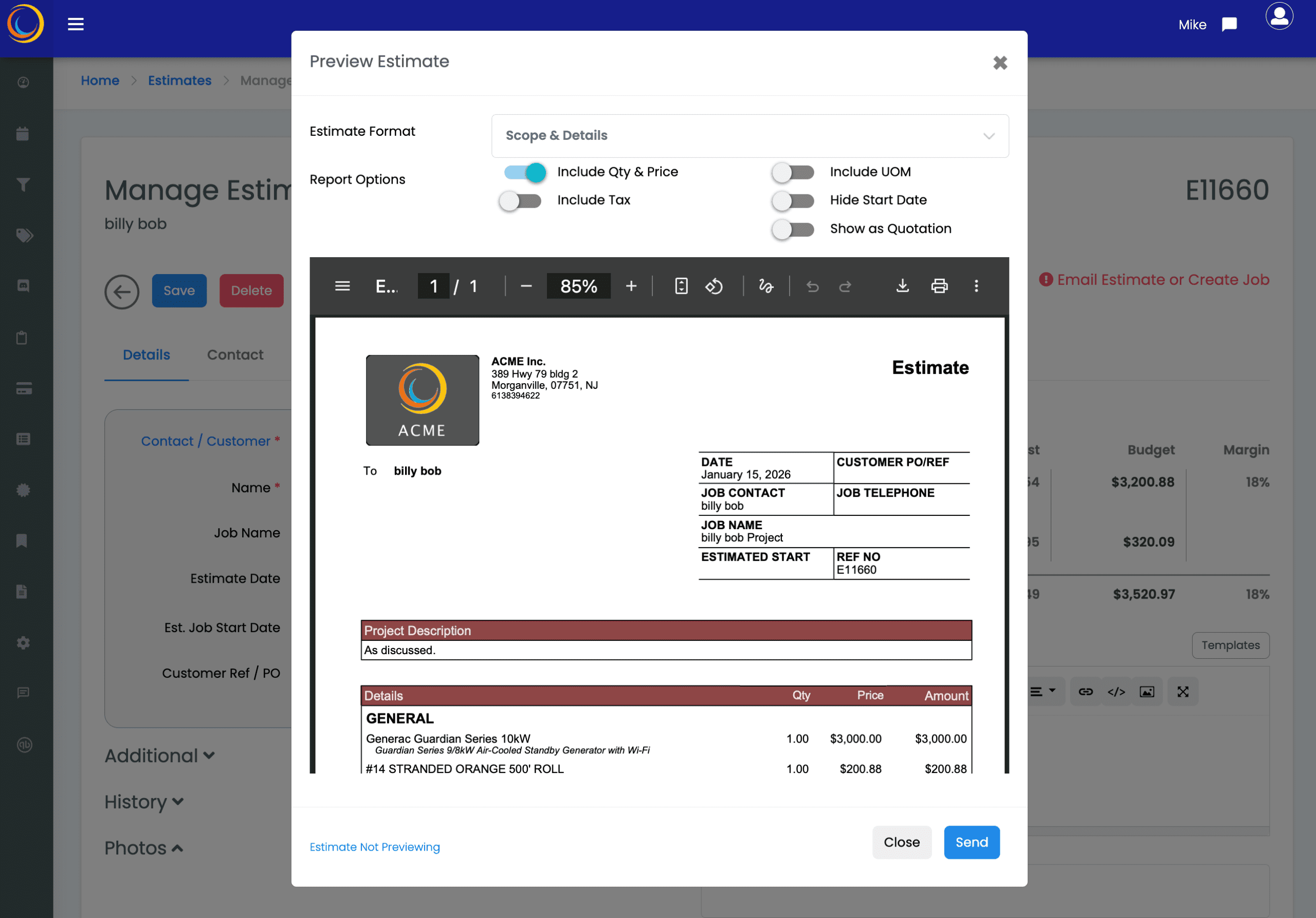
5. Email your Estimate.
You are done! Estimate sent.
5. Email your Estimate.
Need to get a quote out in a hurry?
Our Quick Estimate can do that!
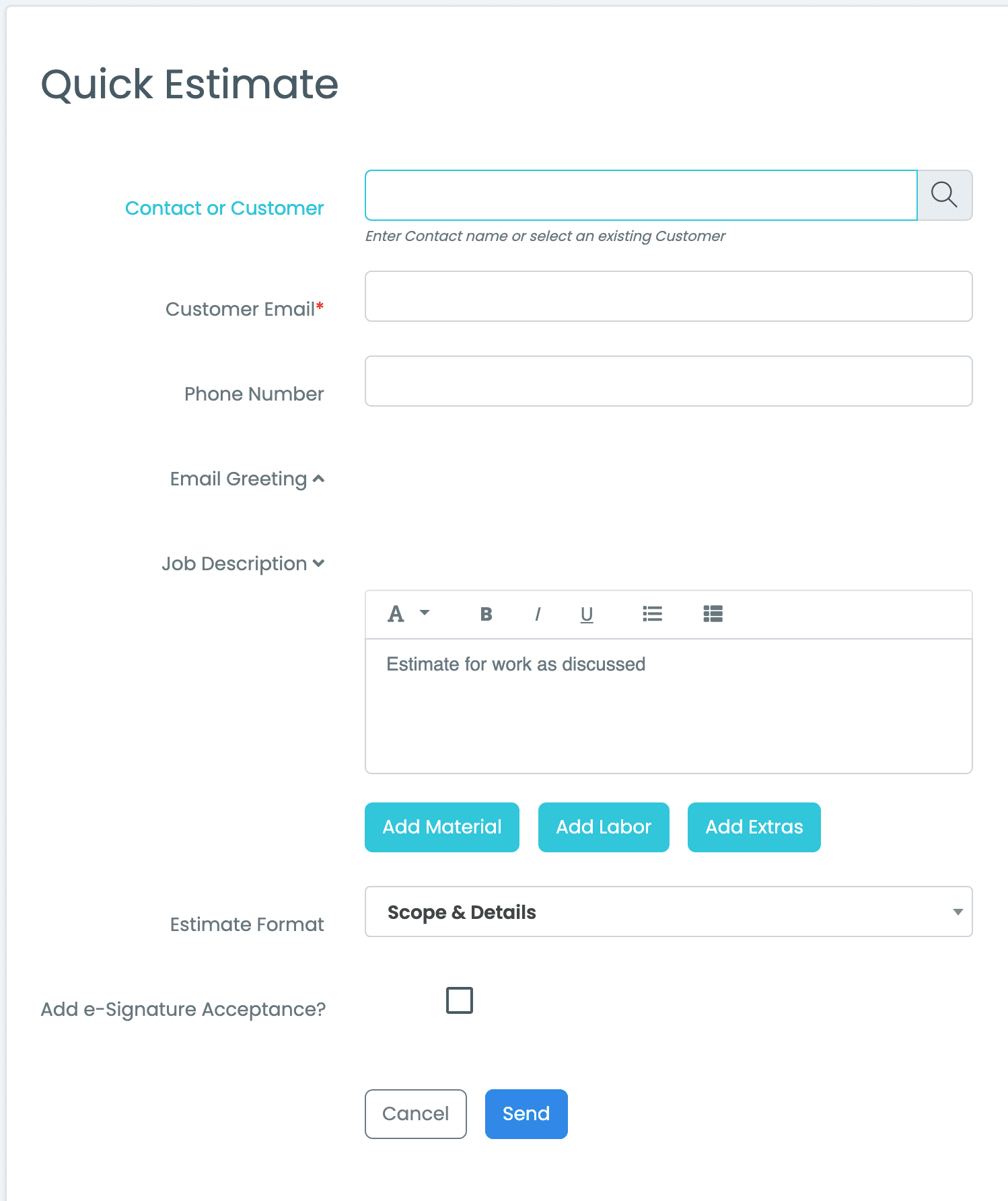
QUICK ESTIMATE
- A Quick Estimate lets you send out a simple estimate in a minute. Great for small jobs.
- Send the estimate to an existing contact or customer, or with just a receiving email address.
- The Estimate can be accepted by the contact via the e-signature option.
- You’ll get a text message on your phone as soon as the estimate is accepted!
- Super Simple, Super Fast.
Get Your Free Trial Now!
MEC makes it easy.
Create Professional Estimates Fast
Maximize your Margins & Markups
Customer Estimate tracking
Turn Estimates into Jobs with one click
Includes Job Management & Scheduling
Online Customer Payment
No Credit card required, we offer unhurried long free trials, free training & unlimited support and, you only pay for what you need when you decide to choose MEC.