
ESTIMATES & BIDS
Professional Estimates have arrived.
CREATE ESTIMATE
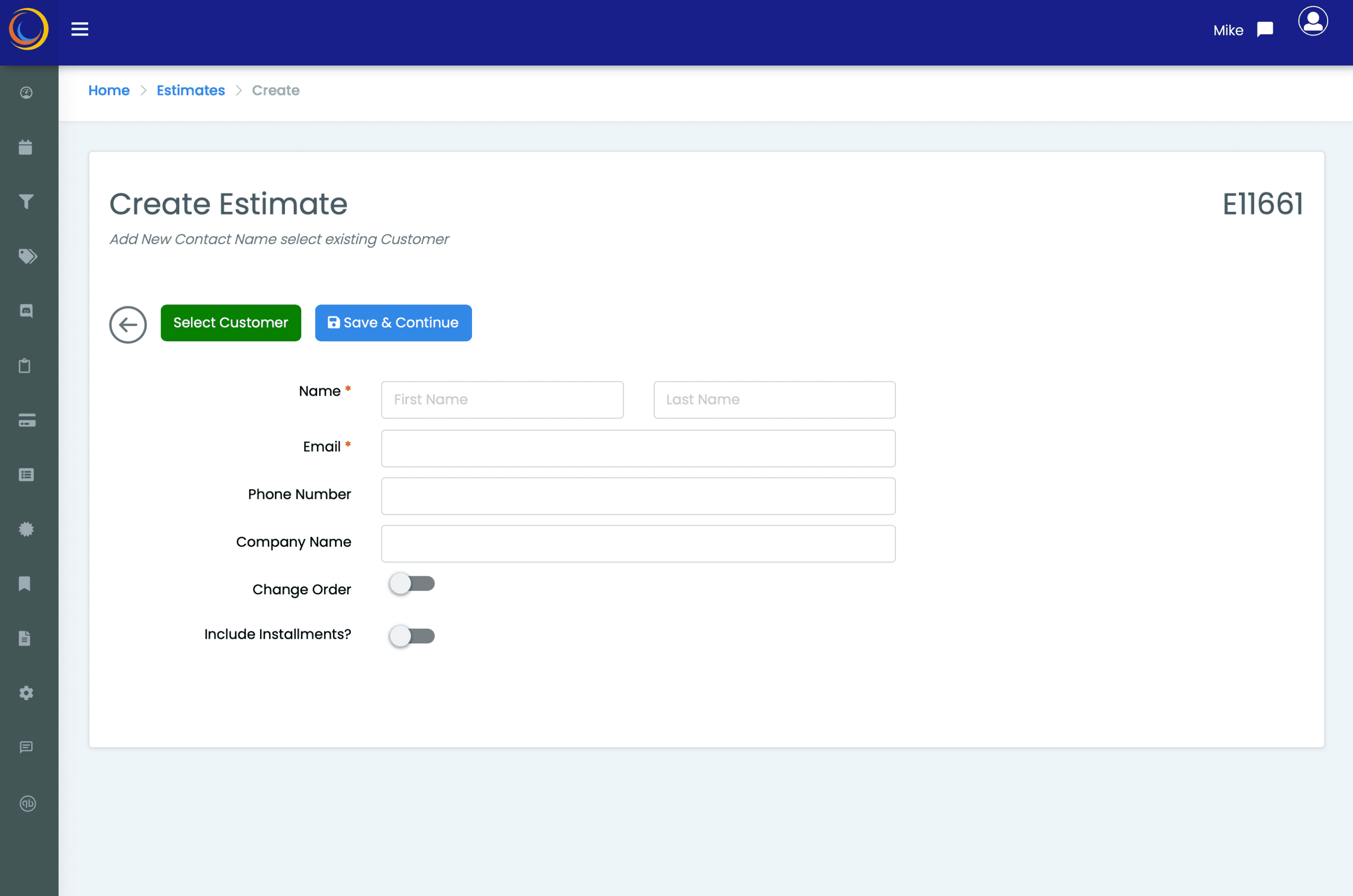
- Start with a name
- Add a new contact, or choose an existing customer and you’re ready to build out the estimate
- You can create Job Change Orders from here (Additive & Deductive)
- Support for Installment payments included
ESTIMATE HEADING
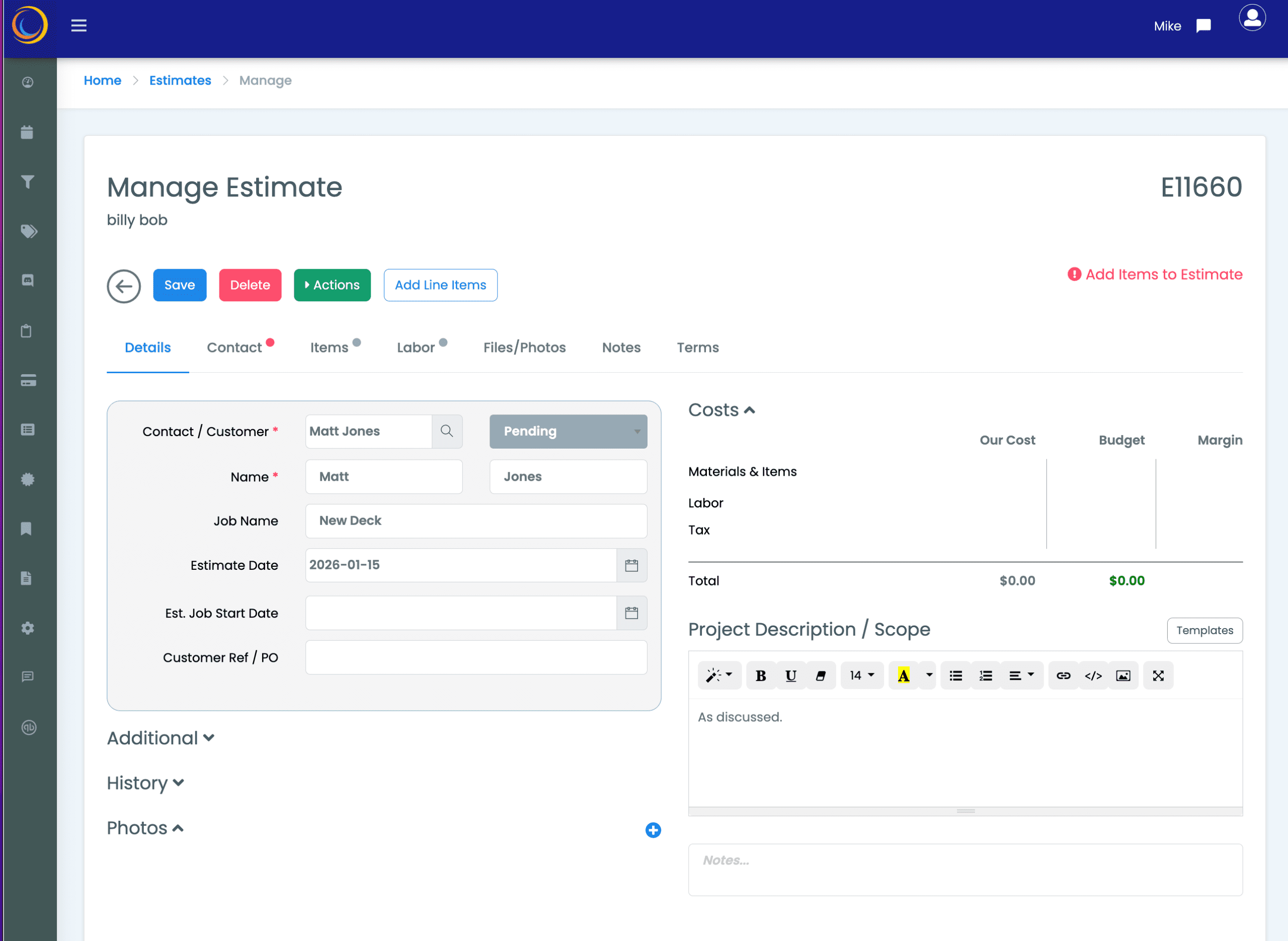
- Give the Estimate a Job Name
- Set dates
- Create a Project Desciption or Scope statement
- Use optional boilerplate templates to create a reusable scope statements.
- Attach unlimited documents and photos
- Its time to add items…
ADD YOUR ITEMS
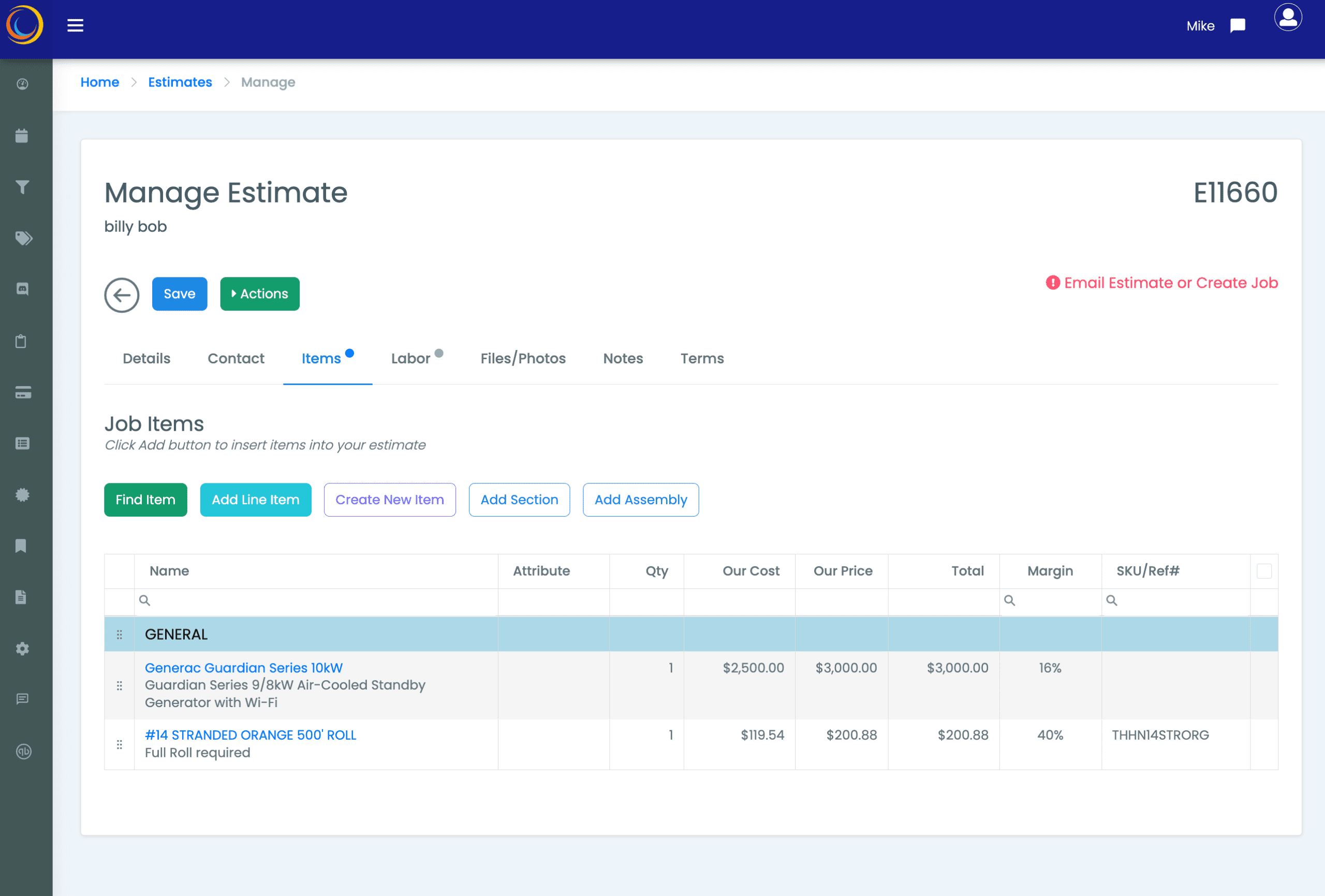
- From the Items tab on the estimate, start adding items
- Create items on the fly or use from the supplied file of prebuilt Items
- Check and adjust margins to maximize profitability
- Add prebuilt Item Assemblies if relevant
- Add optional construction divisons or sections
FINAL REVIEW
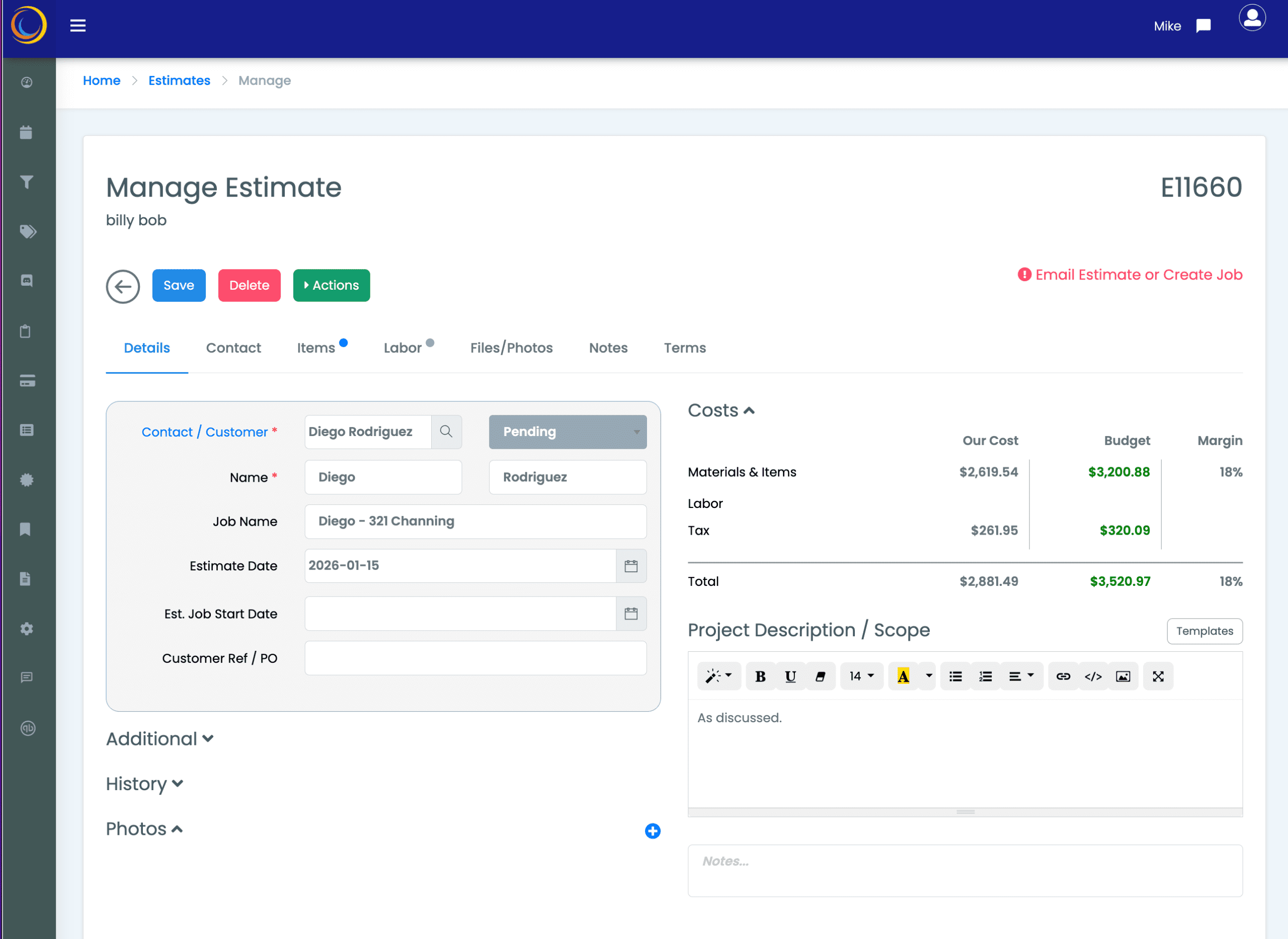
- Double check items, costs, selling prices
- Check Installment values look correct
- Adjust items for better margin
- Set Terms if relevant
- The estimate is ready to be sent…
SEND ESTIMATE
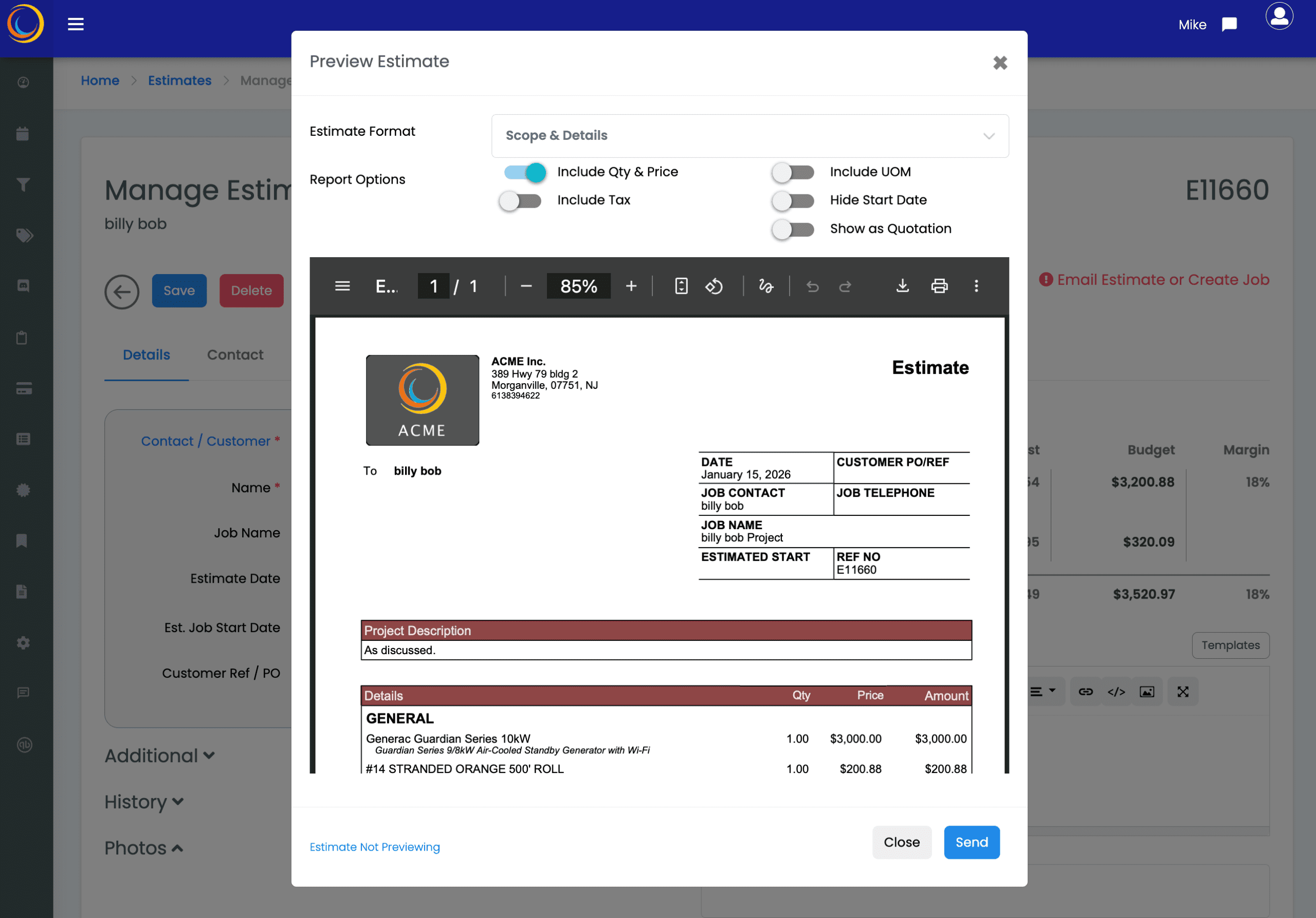
- Enjoy a number options to customize the estimate to match customer expectations
- Customer is sent a custom email and the estimate as PDF
- You get an alert when customer opens the estimate to view – so you know customer has viewed the estimate!
- The customer can accept and sign acceptance from the email you send
- IP address and signature is stored with estimate
- When approved, estimate is flagged as Approved so you can create a job
- Estimate is stored so you can reuse as template for future bids
- MEC will tell you if estimate email is not actioned so you can send generic MEC reminder email!
You are done! Estimate sent.
30 SECOND ESTIMATE
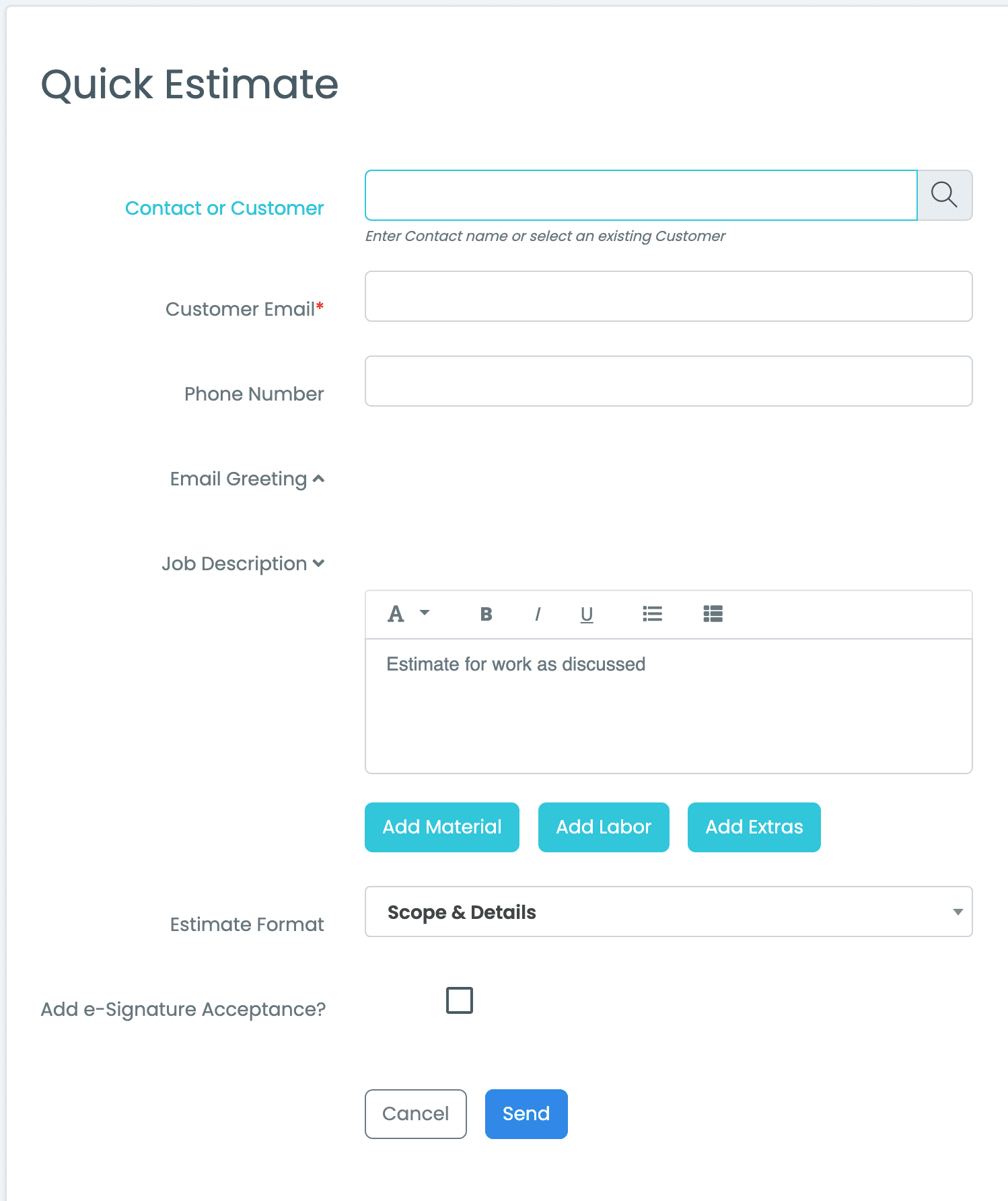
- A Quick Estimate lets you send out a simple estimate in hurry. Great for those small jobs.
- Send the estimate to an existing contact or customer, or with just a receiving email address.
- The Estimate can be accepted by the contact via the e-signature option.
- You’ll get a text message on your phone as soon as the estimate is accepted!
- Super Simple, Super Fast.